GTM Engineering
Git Tracks Every Line of Code. Your Forecast Has No History at All.
A $420K deal slid out of the quarter overnight and nobody could say who moved it. Field history plus a nightly snapshot-diff gives the revenue number a commit log: who moved the deal, when, and what it did. Here are the queries.
· 13 min read

The committed number dropped $420K overnight and nobody in the room had touched it. That was the story, anyway. Wednesday morning the forecast dashboard read $1.78M against a $1.95M plan; Tuesday it had read $2.2M. One deal, Northwind Platform Expansion, had walked out of the quarter while everyone slept. The rep said the number moved itself. The VP said someone must have fat-fingered it. The dashboard said nothing, because a dashboard shows you the current value and burns the previous one on every write.
For a decade the revenue number has run with less version control than a junior engineer’s first pull request. Git tracks every line of code back to the human who wrote it and the minute they committed; you can blame any character in the file and get a name and a timestamp. The forecast, the single number a board bets the year on, keeps no history at all in most orgs. I have chased this exact ghost in three different companies, and the pattern never changes: the number moves, the move matters, and the system that owns the number remembers nothing about how it got there. So here is what I build instead. Field history on the fields that move a forecast, a nightly snapshot of the whole pipeline, and a diff that names who moved what and what it did to the number. A commit log for revenue.
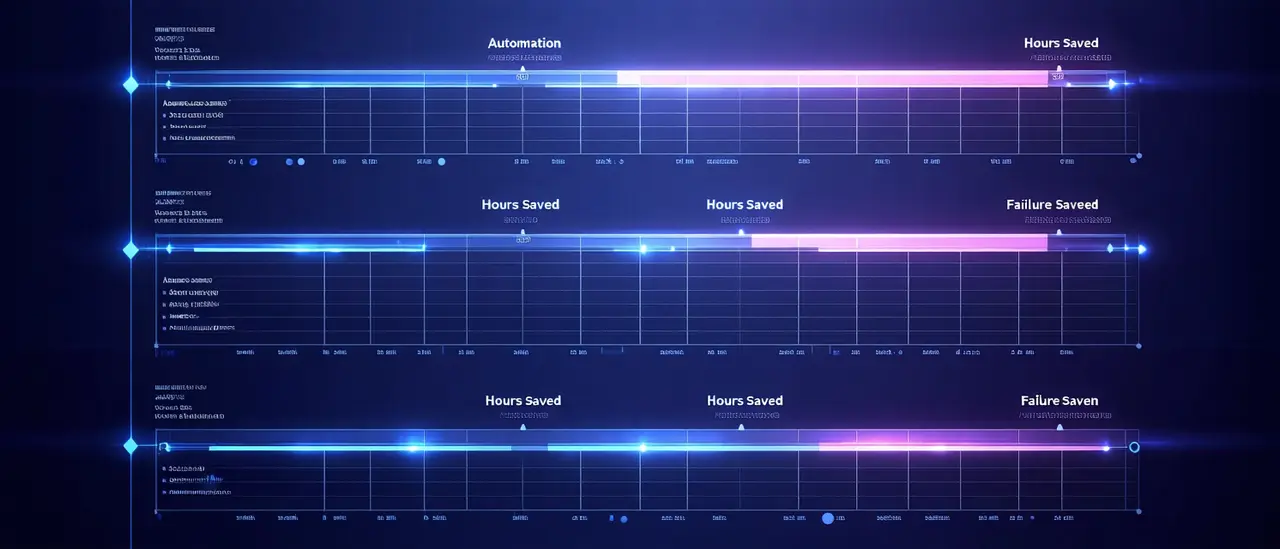
The ghost is hard to catch because your ability to explain a move decays the moment it happens. Watch it fall before you read the fix.
LastModifiedDate is not an audit trail
The first thing every team reaches for is the wrong thing. LastModifiedDate and LastModifiedById feel like a trail. They are a tombstone. They tell you the last person who touched the record and the last minute they touched it, and they overwrite themselves on every save. If a rep pushed the close date on Tuesday and an integration user re-stamped a currency field on Wednesday, the record now reads Wednesday, integration user, and the Tuesday change is gone. That is the whole shape of the decay curve above: one automated write after the human edit, and the stamp you needed points at a robot. You cannot reconstruct a forecast move from a field that keeps one version of the truth.
Turn on version control for the four fields that move the number
Salesforce field history tracking is the closest thing to a commit log the CRM ships out of the box. Turn it on for a field and every change writes a durable row: old value, new value, who, when. The catch is the default cap of 20 tracked fields per object and 18 months of retention. Treat that cap as a feature. It forces you to pick the fields that move a forecast instead of tracking everything and drowning in noise. On the Opportunity there are four that matter: Amount, StageName, CloseDate, and ForecastCategoryName. Track those and you can rebuild any forecast move in the last 18 months from a single query. Everything else on the object can change all it wants without lying to you about the number.
<!-- Opportunity.object-meta.xml: track only the fields that move the number -->
<fields><fullName>Amount</fullName><trackHistory>true</trackHistory></fields>
<fields><fullName>StageName</fullName><trackHistory>true</trackHistory></fields>
<fields><fullName>CloseDate</fullName><trackHistory>true</trackHistory></fields>
<fields><fullName>ForecastCategoryName</fullName><trackHistory>true</trackHistory></fields>
The query that ends the argument
Once history is on, the mystery deal takes 30 seconds to solve. OpportunityFieldHistory is a queryable object, one row per tracked change, and it carries the human on CreatedById and the moment on CreatedDate. Pull the last day of changes across the four forecast fields and the ghost has a name. Note that the Field value for ForecastCategoryName is stored in history as forecastCategory; that is a Salesforce quirk, not a typo.
SELECT OpportunityId, Field, OldValue, NewValue, CreatedById, CreatedDate
FROM OpportunityFieldHistory
WHERE Field IN ('Amount','StageName','CloseDate','forecastCategory')
  AND CreatedDate = LAST_N_DAYS:1
ORDER BY OpportunityId, CreatedDate
Run that against the Northwind mystery and the story writes itself. The deal did not move itself. A rep pushed the close date 31 days at 5:47pm on Tuesday, which slid a September deal into October and out of the committed quarter. Here is the diff, straight from history.
| Field | Was | Now | Forecast impact |
|---|---|---|---|
| CloseDate | Sep 28 (this quarter) | Oct 29 (next quarter) | Slides out of the committed period |
| ForecastCategoryName | Commit | Best Case | Drops from committed to upside |
| Amount | $420K | $420K | Unchanged; the date did the damage |
| Changed by | Rep, Tue 5:47pm | From OpportunityFieldHistory |
The deal did not shrink and it did not die. It got quietly reclassified by a close-date change late on a Tuesday, and because the forecast reads on close date and category, $420K left the committed number. No trail, no accountability, and a QBR spent guessing. With the trail, the conversation is 30 seconds: here is the rep, here is the timestamp, here is why we should ask whether the date is real or a sandbag.
Why the number earns a trail
This is not paperwork for its own sake. The forecast needs a commit log because the forecast is under more pressure than it has been in years, and the room’s trust in it is thin. When the number moves and nobody can explain it, the board stops believing the number, and then it stops believing the team.
| Signal | Number | Source |
|---|---|---|
| Reps hitting quota | 42.7% | RepVue Q2 2025 |
| Teams missing plan in H1 | 76% | Ebsta and Pavilion 2025 |
| B2B win rate now vs prior year | 19% vs ~29% | Ebsta and Pavilion 2025 |
| Median annual cost of bad data | ~$15M | Gartner |
With win rates near 19 percent and three of four teams missing plan, every deal that moves matters more, not less. A single $420K reclassification is the gap between a made quarter and a missed one. When the number is that tight, “the deal moved itself” stops being an acceptable answer, and a snapshot-diff is how you stop accepting it.
Snapshot the whole pipeline, then diff it
Field history solves the single-deal mystery. It does not give you the daily picture: what did the entire committed number do since yesterday, and which moves drove it. For that you snapshot the pipeline every night and diff today against yesterday. The snapshot is a flat copy of every open opportunity with the fields that matter, stamped with the date. The diff is a self-join between last night’s snapshot and tonight’s on the opportunity id.
The snapshot job is a scheduled write of the open pipeline into a dated table. The diff is a self-join on the opportunity id across two dates, keeping only rows where a tracked field changed. This runs in the warehouse if you have one, or as a scheduled Apex job writing to a custom object if you live inside Salesforce.
-- opp_snapshot(snapshot_date, opp_id, amount, stage, close_date, forecast_category, owner)
WITH today AS (
  SELECT * FROM opp_snapshot WHERE snapshot_date = CURRENT_DATE
),
yday AS (
  SELECT * FROM opp_snapshot WHERE snapshot_date = CURRENT_DATE - 1
)
SELECT t.opp_id,
       y.close_date AS was_close,  t.close_date AS now_close,
       y.amount     AS was_amount, t.amount     AS now_amount,
       y.forecast_category AS was_cat, t.forecast_category AS now_cat,
       (t.amount - y.amount) AS amount_delta
FROM today t
JOIN yday y USING (opp_id)
WHERE t.close_date        <> y.close_date
   OR t.amount            <> y.amount
   OR t.stage             <> y.stage
   OR t.forecast_category <> y.forecast_category;
The diff tells you what moved. Field history tells you who moved it. Join the diff to OpportunityFieldHistory on the opportunity id and the change date, and every row in the daily delta carries a name and a timestamp. That joined table is your revenue commit log. It is the single artifact that turns “the number dropped” into “the rep pushed close date on these four deals, here are the timestamps, here is the $312K it cost the commit.”
Watch the number reconstruct itself
Put the daily deltas back in order and the quarter tells a story the dashboard never could. The reported line is what the committed forecast showed each week. The reconstructed line is that same number rebuilt from the snapshot-diffs, which lets you see the exact week the $420K cliff happened and tie it to the close-date push above. Toggle between them.
View as table
| Point | Value |
|---|---|
| Wk1 | 2,100K |
| Wk2 | 2,150K |
| Wk3 | 2,180K |
| Wk4 | 2,205K |
| Wk5 | 2,210K |
| Wk6 | 2,200K |
| Wk7 | 1,780K |
| Wk8 | 1,810K |
| Wk9 | 1,860K |
Without the trail, week 7 is a mystery you discover at quarter-end, which is exactly where the decay curve at the top of this piece bottoms out at 5 percent. With the trail, week 7 is a line item you catch the next morning, with a name attached, in time to ask whether the date is real. That is the whole value: the same information, but early and accountable instead of late and anonymous.
Here is how I build it: the revenue audit trail stack
This is the build I stand up whenever a team says they cannot trust their own forecast. Five steps, in order. The first two you can finish this week; the rest compound from there. Rung one is what holds the decay curve flat at the top: turn on field history and your ability to reconstruct a move stops falling to zero and stays pinned at 100 percent for 18 months.
- 1
Track history on the four forecast-moving fields
Turn on Salesforce field history for Amount, StageName, CloseDate, and ForecastCategoryName on the Opportunity. Four fields, well under the 20-field cap, 18 months of retention. This alone flattens the decay curve and answers "who moved this deal" for any single opportunity.
- 2
Snapshot the pipeline every night
Schedule a job that copies every open opportunity into a dated table with the fields that matter. Warehouse table if you have one, custom object with scheduled Apex if you live in the CRM. Retain daily, roll up to weekly after a quarter so the table does not balloon.
- 3
Diff today against yesterday
Self-join the snapshot on opportunity id across two dates, keep only rows where a tracked field changed, and compute the dollar delta per deal. This is the change set: what moved and by how much, every morning, before anyone opens the dashboard.
- 4
Attribute every delta to a person and a reason
Join the diff to OpportunityFieldHistory on opportunity id and change date so each moved deal carries who and when. Add a required reason field on close-date pushes so the why lands in the same table instead of in someone head.
- 5
Publish the daily forecast delta to the review
Every pipeline review opens with the net committed move since last review and the named deals that drove it. The dashboard stops being a number and becomes a number with receipts.
The trail versus the shrug
The difference between a forecast with a commit log and one without is not the accuracy of the number. Both can read $1.78M. The difference is what happens when someone asks how it got there.
| Forecast with no trail | Forecast with a commit log | |
|---|---|---|
| When the number drops | "Who changed this?" Nobody knows. | Named rep, timestamp, old and new value. |
| Finding root cause | Guesswork across a QBR. | One query, 30 seconds. |
| Spotting sandbags | Invisible until quarter-end. | Repeated end-of-quarter pushes show as a pattern. |
| Trust with the board | Erodes with every mystery. | Defensible line by line. |
A forecast that cannot explain its own movement is a rumor with a dollar sign. The instinct here is the same one that makes you stop building dashboards nobody opens: a number is only as trustworthy as your ability to trace it back to the events that produced it, and a chart with no lineage is decoration. The snapshot table itself belongs in the warehouse for the same reasons every other durable GTM record does, which is the case I make in the warehouse-first reverse-ETL build.
The deal did not move itself. It never does. Someone pushed a date at 5:47pm on a Tuesday, and the only thing missing was a system that remembered. Turn on field history for the four fields, snapshot the pipeline tonight, diff it tomorrow, and the next time the committed number drops $420K you will know the name before the meeting starts. Give the revenue number the commit log the codebase has had for twenty years, and “the number moved itself” stops being a sentence anyone at your company gets to say.
Keep reading

One email. Every week.
One email a week: a system I built or broke, with the config, the numbers, and what I would change. No roundups, no theory, unsubscribe whenever it stops being useful.
The newsletter opens soon.
Connect a provider in src/config.ts